

Give people a useful place to land.
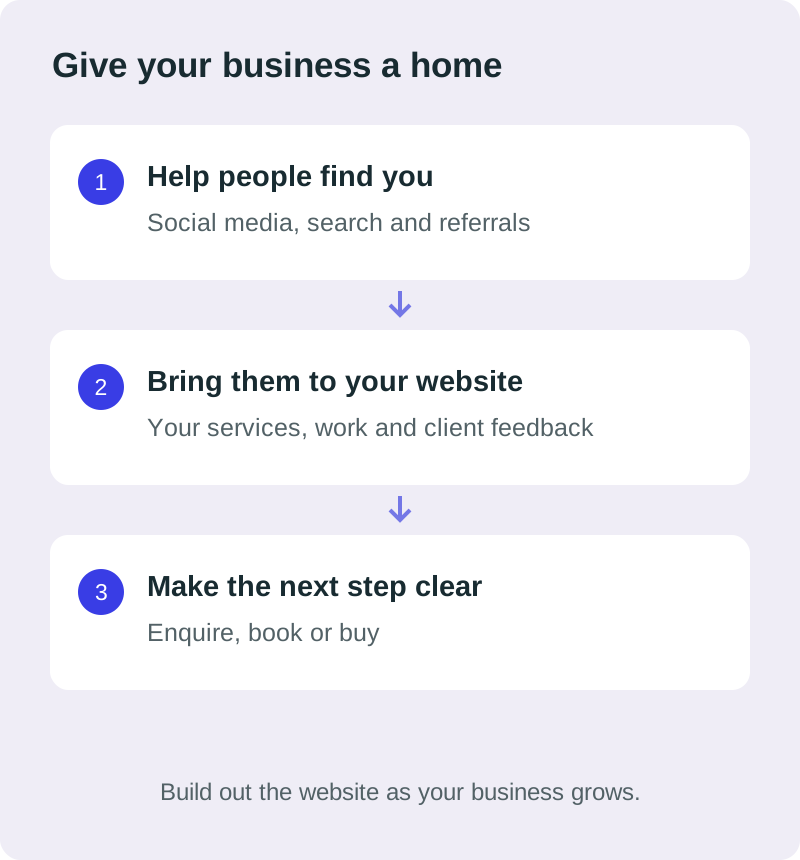
Someone may hear about your business through a recommendation, see a post or find a video they like. Their next questions are often practical: what do you offer, is it relevant to them, and how do they enquire?
A website gives you a place to answer those questions in an order you choose. Your services, examples, testimonials and contact information can sit together without someone having to work backwards through your posts.
That is what makes a website useful as a business asset: you can keep using and improving it as part of how the business works. Publishing it does not automatically create demand, but it gives the attention you earn somewhere purposeful to go.
A social account has rules and access you do not control.
Social media can be valuable. The risk is making one account the only place customers can understand your offer or contact you.
Accounts can be restricted or disabled. In June 2026, the Oversight Board reviewed a permanent Instagram account ban and raised concerns about transparency and account-governance processes. That particular ban involved serious policy violations and was upheld; it is not evidence that ordinary businesses are likely to be banned without reason. It does show that access sits within a platform’s enforcement system. Read the Board’s account-governance findings.
I would not build a business plan around expecting to lose an account. I would make sure one account is not the only route into the business. A website, direct contact details and other appropriate channels can give you a more resilient setup.
‘You own it’ should mean something practical.
With a website, you can choose the structure, organise your information and decide how people enquire. The level of control and portability depends on how it is built and what you agree with the provider.
Ask whose name the domain is registered in, what website files or access you receive, and whether you can move the site to suitable hosting. Check the terms for paid themes, images, software and connected services too.
ICANN explains that a domain registrant holds rights to a registered domain name. Registration also needs to be maintained and renewed. Your domain is not a one-time purchase that stays active forever. Read how domain registration works and ICANN’s renewal guidance.
For my standard static websites, I can provide the website files for suitable hosting. Separate services may need their own accounts or setup. A website still relies on hosting, renewal and sensible maintenance; the benefit is having more control over how your business is presented and supported.
A useful first website can have a modest starting cost.
You do not need to begin with a large online shop or a custom app. A straightforward site can explain your services, show relevant work and give visitors a way to enquire.
Under my current offer, the initial preview is free. If you choose to proceed with the agreed straightforward website, the fees to me total £175: £25 activation plus £150. There is no separate design or build bill for the agreed scope.
- With my hosting: the £150 covers the first year and hosting then renews at £150 per year.
- With your own hosting: my £150 fee is one-off, and you pay your chosen provider separately.
Domain registration, business email, paid tools and agreed extras can cost separately. Maintenance is optional. The full website costs guide explains the distinction.
The useful comparison includes the starting cost, ongoing costs and what you need the site to do. A low price alone will not make an unclear or unused website valuable.
Build around the next stage of your business.
Your first version might need only clear service information, proof of your work and a contact route. Later, you may want detailed service pages, FAQs, case studies, articles, bookings or payments.
Those are possible directions to plan for, not features automatically included in the starting offer. New pages and functionality can need additional work, paid services or a different platform. Growth is flexible, but it is not free or literally limitless.
Tell me early if you expect to publish frequently or manage content yourself. The editing guide explains why that affects the setup. The updates guide covers occasional and ongoing help.
A focused first version can be useful now and give you a clearer basis for deciding what to add later.
Start with the questions your customers already ask.
Write down what people need to know before they contact you: what you do, who it is for, where you work, what it costs where appropriate, and what happens next. Add relevant examples and genuine client feedback.
That is the beginning of a useful brief. The preparation checklist can help you put it together. If you are considering building with AI yourself, read what a web designer can add before choosing the route that suits you.
You can keep using social media to share your work and reach people, while giving them a website that explains the business in one place.
Get my free website preview and see a possible direction before deciding whether to proceed.
For project examples and an overview of working together, explore my London web design guide for small businesses.