


Start with the visitors you actually want
If you’re wondering how to get more traffic to your website, start with one service you want to sell and one page that helps a customer buy it. Match that page to a real customer search, give people a few ways to find it, then pay attention to who clicks and what they do next. That gives you something you can improve even if you only have a couple of hours a week.

Imagine you’re a florist who wants more wedding enquiries. A post about keeping supermarket flowers fresh could bring in plenty of readers. A page explaining wedding flowers, the areas you cover and how couples can check availability might bring in fewer people, but gives the right ones a reason to get in touch. Before touching the homepage, write down the service you want to grow, who needs it and what a good enquiry would look like.
Pull up your inbox and look at the last five enquiries. Which jobs were a good fit? How did those people describe what they needed? If a customer wrote “Can you do bridal flowers for a small ceremony?”, that phrase is more revealing than an afternoon trying to come up with new marketing slogans. It tells you something about budget, scale and the kind of decision the page can help with.
Find out what people already search for
Open the Performance report in Google Search Console and look at the Queries and Pages tabs. Impressions show how often a result for your site appeared in Google Search. Clicks count visits that began with a click on one of those results. Open a page you already have and look at the queries that brought it up. Google explains the reports in its guide to Search Console performance.

Suppose your wedding flowers page gets impressions for “small wedding florist” but barely mentions smaller ceremonies. If you genuinely offer them, show an example, explain what a small order can include and say how far ahead to enquire. Check the search results yourself to see what people are being shown. A search for ideas may call for a guide; a search for a florist in a particular area usually calls for a page where someone can learn about the service and enquire.
New sites often have little useful search data. Start with the wording customers use on calls, in emails or when they ask for a quote. Pick a specific phrase that describes work you deliver and one page that gives a genuinely useful answer. You can refine that choice when your own search data comes in. If a live page you expect to see still seems missing, check it with Search Console’s URL Inspection before spending a weekend rewriting it.
Improve one page that deserves the traffic
Read the heading and first paragraph on your phone. Could someone tell what you offer, who it’s for and whether you can help them? Use a page title that describes the service, add an example of the work and answer the first two or three questions you typically hear. Tie the button to the decision the visitor is making. “Check your wedding date” is a clearer next step than “Learn more” when people are trying to find an available florist.
Give the page a route in from your homepage, a relevant guide or a portfolio project. If you mention wedding flowers in a feature about a real event, link the phrase to the service page where someone can follow up. For more ideas on making the page itself work harder, see the seven service page fixes.
It’s easy to skip over this step because creating a new article feels more productive. An existing page might already have a head start through links you’ve shared, a listing that points to it or search impressions you can learn from. Keep its address where possible and improve what the visitor sees when they arrive.
Give people more ways to find the page
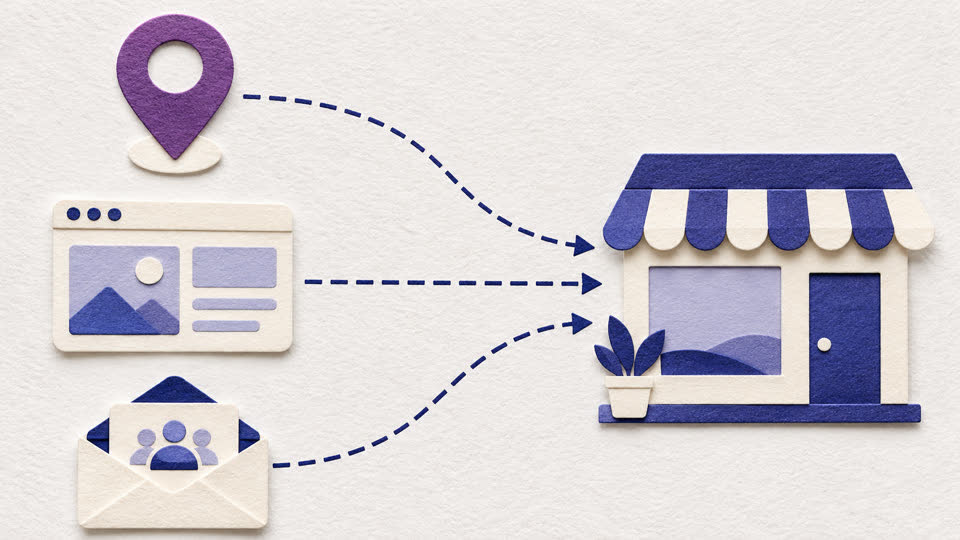
If you’re eligible for a Google Business Profile, make sure your opening hours, contact details, service area and website link are accurate. Add recent photos that show what customers can expect. Invite real customers to leave honest reviews and reply when you can. Google says local results primarily depend on relevance, distance and prominence, which helps explain why two people in different places can see different businesses. Read Google’s local ranking guidance for the details.

Look at the places people already go when they need your kind of service. A wedding venue’s supplier list makes sense for a florist who already works there. A trade association, neighbourhood directory or partner’s useful resources page might make sense for another business. Start with a place your customers might actually use and check the link lands on a page that answers their question.
Social media can send people to the same page. Share a photo from a real project with a short explanation of what the customer needed, then point people to the service if they want something similar. Use email in the same way when it makes sense, such as a link to a relevant guide in a reply you already send. For location-specific examples, read my guide to growing website traffic in Essex.
A 30-day website traffic plan
Choose a page today and give it a month of focused attention. The table shows what to do and what to write down so you have something to review at the end.

| Week | What to do | What to record |
|---|---|---|
| 1 | Choose a service and check how the page currently performs. | Page URL, search clicks and impressions, and relevant enquiries. |
| 2 | Improve the heading, add proof and test the main button on a phone. | The date you changed the page and what you changed. |
| 3 | Add relevant internal links and share the page where customers already look. | Which pages, profiles or partners now link to it. |
| 4 | Review the page and compare search traffic to the previous period. | Any change in clicks, relevant searches and enquiries. |
When you compare results, use periods of the same length and mark any unusual dates. A seasonal rush or promotion can move the numbers even if you did very little to the page. If impressions rise before clicks do, check which searches account for the rise. If clicks arrive but enquiries stay flat, submit a test enquiry and look at what someone sees before reaching the button. Ask how a new customer heard about you when appropriate. A few conversations can tell you why a certain kind of traffic matters.
Choose the next page based on what you learn
Give the changes time to settle and revisit the same page before doing the whole exercise again. Keep the useful changes, record what you learned and choose a second service where there’s a reason to expect similar demand. Even if the numbers are modest, you’ll have a better idea of what customers came looking for and which next step they took.

If you’re planning a new site, see how I build in website SEO foundations as part of a project. If you already have a live website and want help choosing the first page to work on, I can walk through the evidence with you in a Website & Digital Business Audit.